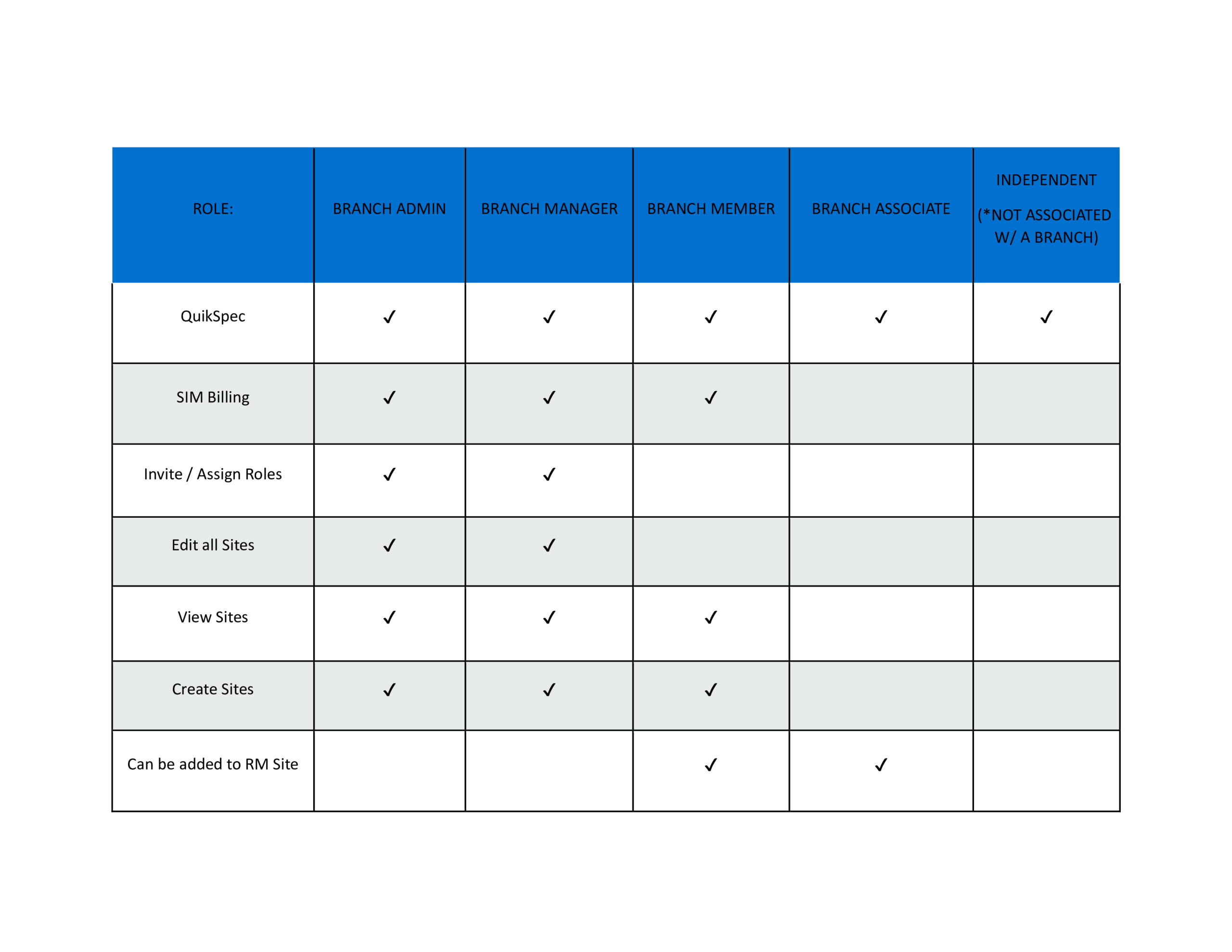
This chart shows what each role in a branch has permissions to do in AiphoneCloud and Remote Management.
NWP_Query Object
(
[query] => Array
(
[post_type] => kb
[post__not_in] => Array
(
[0] => 37857
)
[tax_query] => Array
(
[0] => Array
(
[taxonomy] => kbtopic
[field] => slug
[terms] => user-management
)
)
[posts_per_page] => 4
[orderby] => rand
)
[query_vars] => Array
(
[post_type] => kb
[post__not_in] => Array
(
[0] => 37857
)
[tax_query] => Array
(
[0] => Array
(
[taxonomy] => kbtopic
[field] => slug
[terms] => user-management
)
)
[posts_per_page] => 4
[orderby] => meta_value_num menu_order
[error] =>
[m] =>
[p] => 0
[post_parent] =>
[subpost] =>
[subpost_id] =>
[attachment] =>
[attachment_id] => 0
[name] =>
[pagename] =>
[page_id] => 0
[second] =>
[minute] =>
[hour] =>
[day] => 0
[monthnum] => 0
[year] => 0
[w] => 0
[category_name] =>
[tag] =>
[cat] =>
[tag_id] =>
[author] =>
[author_name] =>
[feed] =>
[tb] =>
[paged] => 0
[meta_key] =>
[meta_value] =>
[preview] =>
[s] =>
[sentence] =>
[title] =>
[fields] => all
[menu_order] =>
[embed] =>
[category__in] => Array
(
)
[category__not_in] => Array
(
)
[category__and] => Array
(
)
[post__in] => Array
(
)
[post_name__in] => Array
(
)
[tag__in] => Array
(
)
[tag__not_in] => Array
(
)
[tag__and] => Array
(
)
[tag_slug__in] => Array
(
)
[tag_slug__and] => Array
(
)
[post_parent__in] => Array
(
)
[post_parent__not_in] => Array
(
)
[author__in] => Array
(
)
[author__not_in] => Array
(
)
[search_columns] => Array
(
)
[meta_query] => Array
(
[relation] => OR
[0] => Array
(
[key] => mkb_tax_order_6057
[compare] => EXISTS
)
[1] => Array
(
[key] => mkb_tax_order_6057
[compare] => NOT EXISTS
)
)
[order] => ASC
[ignore_sticky_posts] =>
[suppress_filters] =>
[cache_results] => 1
[update_post_term_cache] => 1
[update_menu_item_cache] =>
[lazy_load_term_meta] => 1
[update_post_meta_cache] => 1
[nopaging] =>
[comments_per_page] => 50
[no_found_rows] =>
[taxonomy] => kbtopic
[term] => user-management
)
[tax_query] => WP_Tax_Query Object
(
[queries] => Array
(
[0] => Array
(
[taxonomy] => kbtopic
[terms] => Array
(
[0] => user-management
)
[field] => slug
[operator] => IN
[include_children] => 1
)
)
[relation] => AND
[table_aliases:protected] => Array
(
[0] => wp_term_relationships
)
[queried_terms] => Array
(
[kbtopic] => Array
(
[terms] => Array
(
[0] => user-management
)
[field] => slug
)
)
[primary_table] => wp_posts
[primary_id_column] => ID
)
[meta_query] => WP_Meta_Query Object
(
[queries] => Array
(
[0] => Array
(
[key] => mkb_tax_order_6057
[compare] => EXISTS
)
[1] => Array
(
[key] => mkb_tax_order_6057
[compare] => NOT EXISTS
)
[relation] => OR
)
[relation] => OR
[meta_table] => wp_postmeta
[meta_id_column] => post_id
[primary_table] => wp_posts
[primary_id_column] => ID
[table_aliases:protected] => Array
(
[0] => wp_postmeta
[1] => mt1
)
[clauses:protected] => Array
(
[wp_postmeta] => Array
(
[key] => mkb_tax_order_6057
[compare] => EXISTS
[compare_key] => =
[alias] => wp_postmeta
[cast] => CHAR
)
[mt1] => Array
(
[key] => mkb_tax_order_6057
[compare] => NOT EXISTS
[compare_key] => =
[alias] => mt1
[cast] => CHAR
)
)
[has_or_relation:protected] => 1
)
[date_query] =>
[queried_object] => WP_Term Object
(
[term_id] => 6057
[name] => User Management
[slug] => user-management
[term_group] => 0
[term_taxonomy_id] => 6057
[taxonomy] => kbtopic
[description] =>
[parent] => 6052
[count] => 2
[filter] => raw
[term_order] => 3
)
[queried_object_id] => 6057
[request] => SELECT SQL_CALC_FOUND_ROWS wp_posts.ID
FROM wp_posts LEFT JOIN wp_term_relationships ON (wp_posts.ID = wp_term_relationships.object_id) LEFT JOIN wp_postmeta ON ( wp_posts.ID = wp_postmeta.post_id ) LEFT JOIN wp_postmeta AS mt1 ON ( wp_posts.ID = mt1.post_id AND mt1.meta_key = 'mkb_tax_order_6057' )
WHERE 1=1 AND wp_posts.ID NOT IN (37857) AND (
wp_term_relationships.term_taxonomy_id IN (6057)
) AND (
wp_postmeta.meta_key = 'mkb_tax_order_6057'
OR
mt1.post_id IS NULL
) AND ((wp_posts.post_type = 'kb' AND (wp_posts.post_status = 'publish' OR wp_posts.post_status = 'acf-disabled')))
GROUP BY wp_posts.ID
ORDER BY wp_postmeta.meta_value+0 ASC, wp_posts.menu_order ASC
LIMIT 0, 4
[posts] => Array
(
[0] => WP_Post Object
(
[ID] => 49184
[post_author] => 18
[post_date] => 2025-10-30 08:12:21
[post_date_gmt] => 2025-10-30 15:12:21
[post_content] =>




Once registered, property managers are able to add other property managers to a site managed by AiphoneCloud.
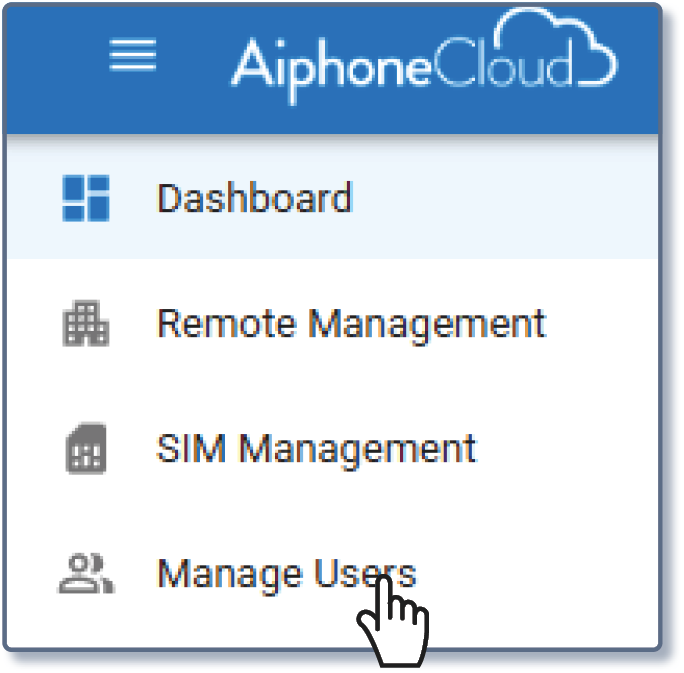
Log in to AiphoneCloud and navigate to Manage Users on the side menu.
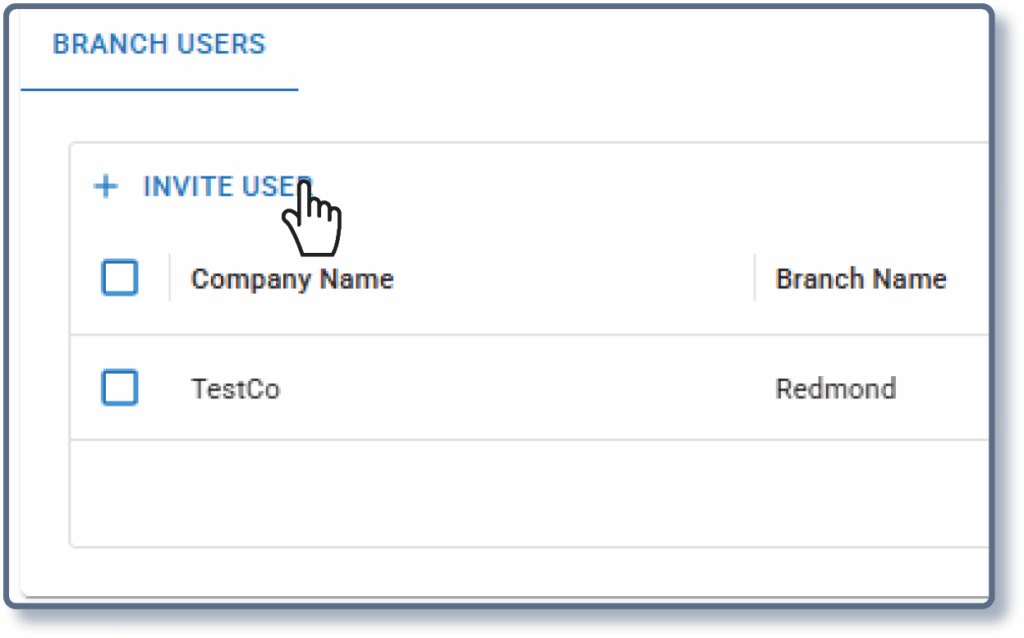
Click +Invite User.
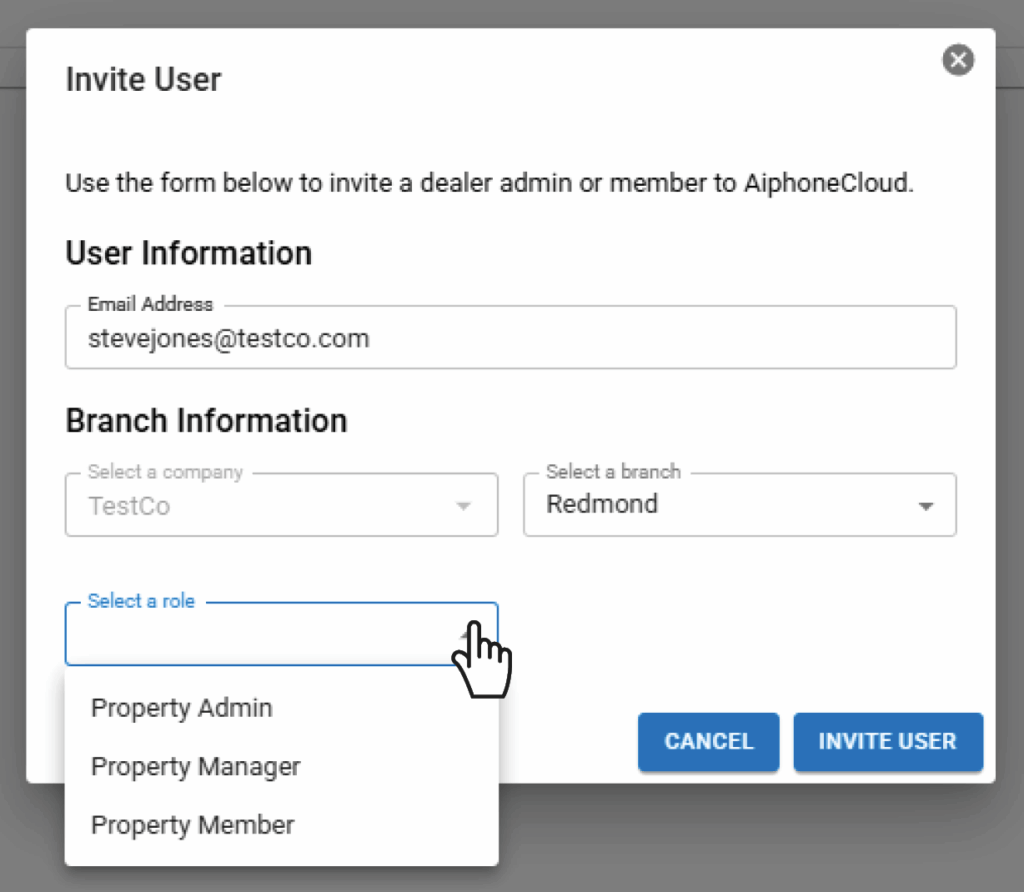
Fill in an email address for the new user, then click Select a Role and select the role to assign them.
Property Management branch admins and managers can access all sites managed by the branch. They can invite and remove users from the branch and give Member users access to one or more Sites. Members will not be able to access any Site unless given access by an Admin or Manager.
Click Invite User to finish the process.
The user will be sent an email, which will give them a link to follow to finish the onboarding process for AiphoneCloud itself. Next, the user will need to be added to the site.
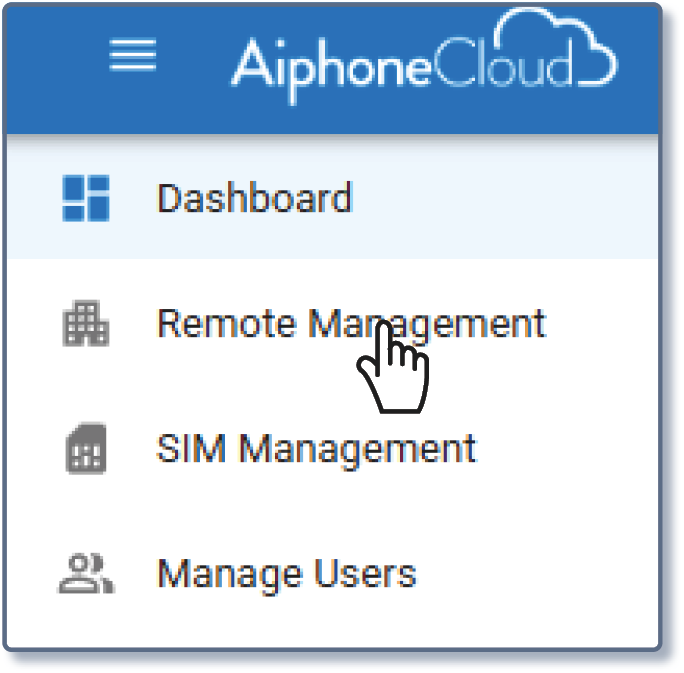
Navigate to Remote Management on the side menu.
Select the site from the list of sites you are registered to.
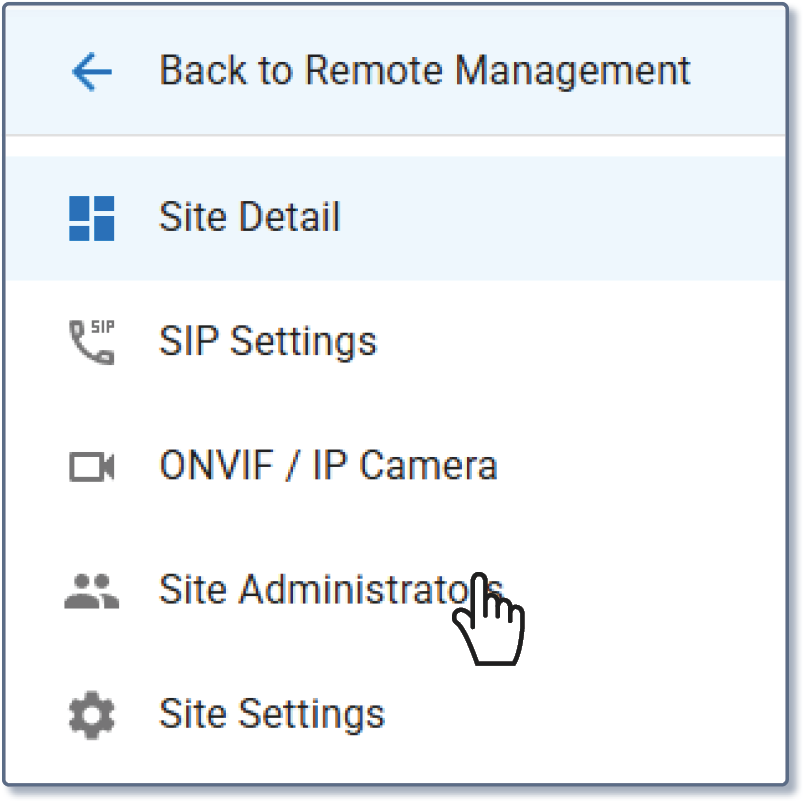
Navigate to Site Administrators on the side menu.
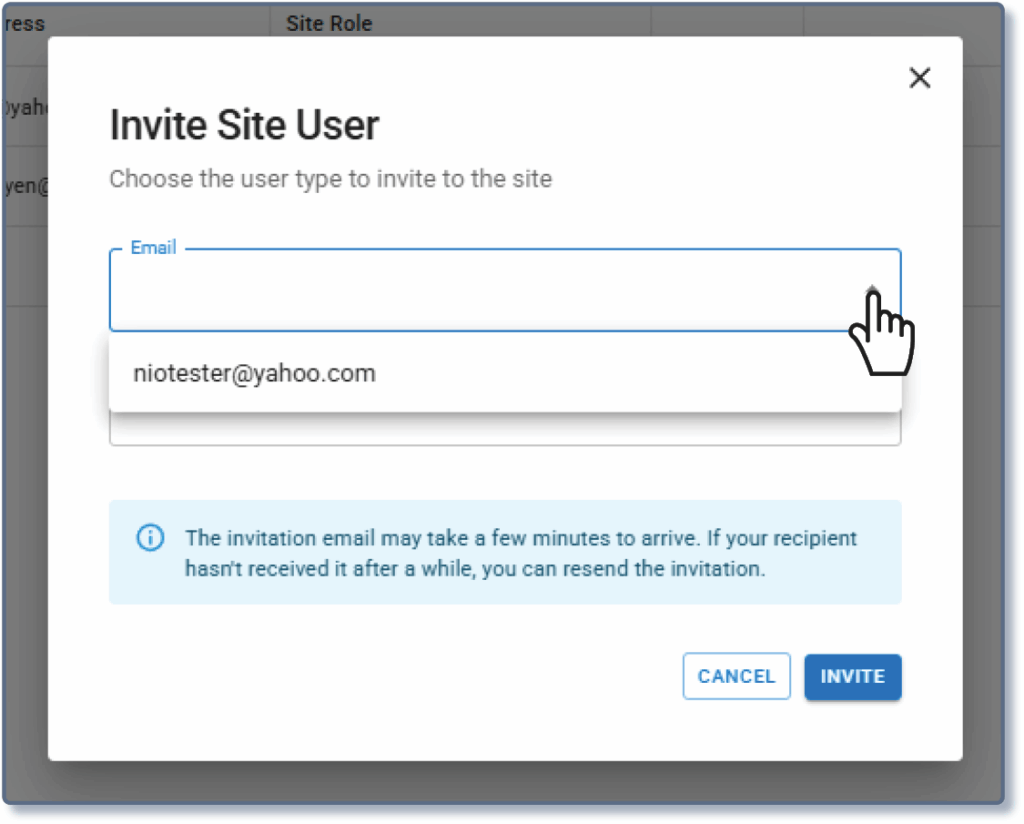
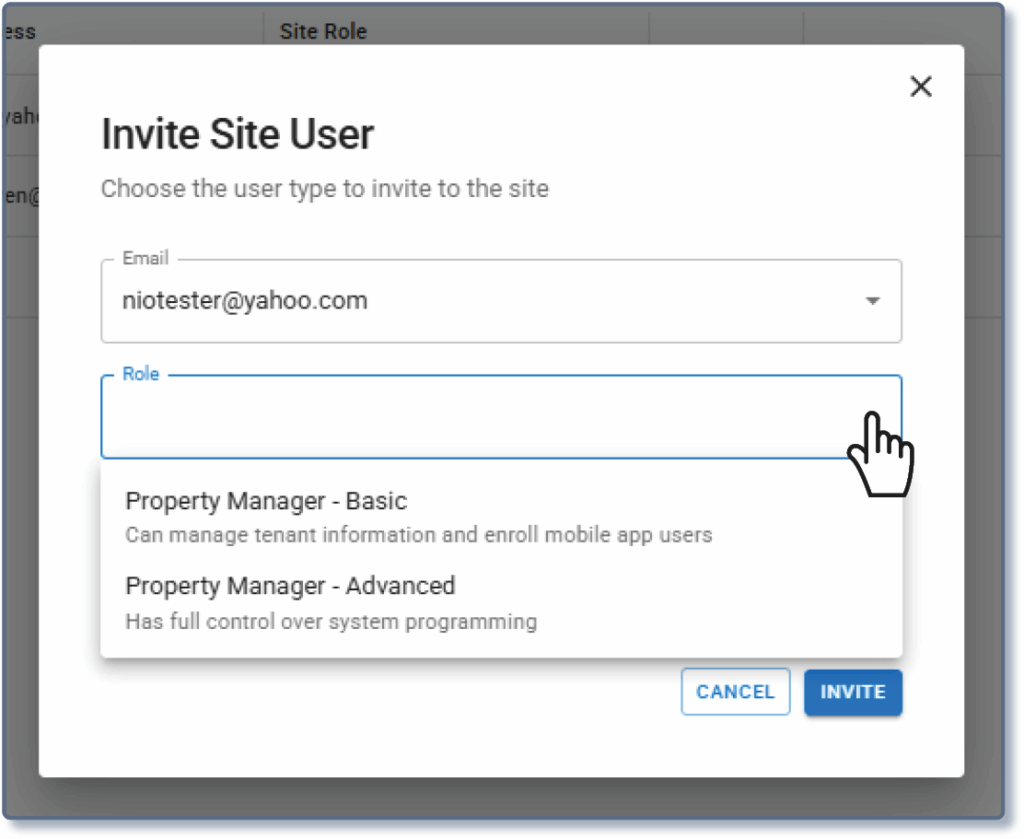
Click +Invite Site User.
Click Email and select the new user using the drop-down menu. If their email does not appear, they have not completed the registration process yet.
Select their role. More or fewer roles may be listed, depending on your own permission levels.
Click Invite.
This will send the user another registration email. Once they complete that process, they will be able to access the site and make changes, depending on their role.
[post_title] => Adding More Users as a Property Manager [post_excerpt] => [post_status] => publish [comment_status] => closed [ping_status] => closed [post_password] => [post_name] => adding-more-users-as-a-property-manager [to_ping] => [pinged] => [post_modified] => 2025-10-30 09:00:28 [post_modified_gmt] => 2025-10-30 16:00:28 [post_content_filtered] => [post_parent] => 0 [guid] => https://www.aiphone.com/?post_type=kb&p=49184 [menu_order] => 0 [post_type] => kb [post_mime_type] => [comment_count] => 0 [filter] => raw ) ) [post_count] => 1 [current_post] => -1 [before_loop] => 1 [in_the_loop] => [post] => WP_Post Object ( [ID] => 49184 [post_author] => 18 [post_date] => 2025-10-30 08:12:21 [post_date_gmt] => 2025-10-30 15:12:21 [post_content] =>Once registered, property managers are able to add other property managers to a site managed by AiphoneCloud.
Log in to AiphoneCloud and navigate to Manage Users on the side menu.
Click +Invite User.
Fill in an email address for the new user, then click Select a Role and select the role to assign them.
Property Management branch admins and managers can access all sites managed by the branch. They can invite and remove users from the branch and give Member users access to one or more Sites. Members will not be able to access any Site unless given access by an Admin or Manager.
Click Invite User to finish the process.
The user will be sent an email, which will give them a link to follow to finish the onboarding process for AiphoneCloud itself. Next, the user will need to be added to the site.
Navigate to Remote Management on the side menu.
Select the site from the list of sites you are registered to.
Navigate to Site Administrators on the side menu.
Click +Invite Site User.
Click Email and select the new user using the drop-down menu. If their email does not appear, they have not completed the registration process yet.
Select their role. More or fewer roles may be listed, depending on your own permission levels.
Click Invite.
This will send the user another registration email. Once they complete that process, they will be able to access the site and make changes, depending on their role.
[post_title] => Adding More Users as a Property Manager [post_excerpt] => [post_status] => publish [comment_status] => closed [ping_status] => closed [post_password] => [post_name] => adding-more-users-as-a-property-manager [to_ping] => [pinged] => [post_modified] => 2025-10-30 09:00:28 [post_modified_gmt] => 2025-10-30 16:00:28 [post_content_filtered] => [post_parent] => 0 [guid] => https://www.aiphone.com/?post_type=kb&p=49184 [menu_order] => 0 [post_type] => kb [post_mime_type] => [comment_count] => 0 [filter] => raw ) [comment_count] => 0 [current_comment] => -1 [found_posts] => 1 [max_num_pages] => 1 [max_num_comment_pages] => 0 [is_single] => [is_preview] => [is_page] => [is_archive] => 1 [is_date] => [is_year] => [is_month] => [is_day] => [is_time] => [is_author] => [is_category] => [is_tag] => [is_tax] => 1 [is_search] => [is_feed] => [is_comment_feed] => [is_trackback] => [is_home] => [is_privacy_policy] => [is_404] => [is_embed] => [is_paged] => [is_admin] => [is_attachment] => [is_singular] => [is_robots] => [is_favicon] => [is_posts_page] => [is_post_type_archive] => 1 [query_vars_hash:WP_Query:private] => 269644403df849b2d6def7c3335e8b61 [query_vars_changed:WP_Query:private] => 1 [thumbnails_cached] => [allow_query_attachment_by_filename:protected] => [stopwords:WP_Query:private] => [compat_fields:WP_Query:private] => Array ( [0] => query_vars_hash [1] => query_vars_changed ) [compat_methods:WP_Query:private] => Array ( [0] => init_query_flags [1] => parse_tax_query ) [query_cache_key:WP_Query:private] => wp_query:e98807e676d3fcbc54fc72c53db5cab9 )Branch Permissions in AiphoneCloud
Transform Your Security Today
Connect with our local experts for product questions, demos, and assistance in designing your ideal security solution.
Contact Us