
For over 75 years, Aiphone has been synonymous with the evolution of entry and security communication technology. When people think of intercoms, they think of Aiphone: a brand recognized for reliability, excellence in engineering, and interoperability. Still, searching for a solution can be difficult when unfamiliar with terms, acronyms, and technologies. That’s why Aiphone created this guide: to teach you the basics so you can clearly evaluate options and make informed decisions.
What is an Intercom?
Intercoms are fast, efficient, and dedicated ways to communicate between two locations. This can be between a door station and an answering station in a commercial building, two rooms in an apartment unit, or a loading dock door and a receptionist. They’ve evolved a lot since their beginnings as electric strikes and buzzers, and can now connect to mobile apps, serve as emergency communication systems, or connect with security systems.
What is IP?
IP stands for Internet Protocol, and it’s essentially a rulebook for how data is packaged, routed, and addressed between end points. It’s the same as the IP in “IP Address,” which is one of the more common uses outside the technical and intercom spheres. Most modern intercoms use IP, connecting it to a network. It’s more reliable, allows for higher quality audio and video, and is the only way to integrate security ecosystems.
What is PoE?
PoE stands for Power over Ethernet, a streamlined approach to allocating power to an electronic device or intercom system. It uses the same ethernet cable to provide network connection and power, requiring fewer physical cables and bypassing the need for an additional power source.
What is SIP?
SIP stands for Session Initiation Protocol. It is the signaling protocol that tells devices how and when to start, manage, and end a call over a network. When someone presses the call button on a SIP-based intercom in an Aiphone system, SIP is what tells the door station and the answering device to connect, keeps that session organized while you communicate, and then closes it when the call ends.
It can also tell the system to transfer the call from one answering station to another or send it to a phone or mobile device if needed. Because SIP is an industry-standard protocol, seeing “SIP” on an intercom is also a strong indicator that it can integrate with other SIP-compatible platforms, such as IP PBXs and VoIP phone systems.
What is VoIP?
VoIP stands for Voice over Internet Protocol. Rather than being a single protocol, it is a way of delivering phone service and voice communication over a data network and the internet, usually through products like VoIP desk phones, softphone apps on computers, or mobile VoIP clients.
VoIP services will typically use protocols like SIP and other technologies to establish and carry audio. When an intercom says it can use VoIP, it usually means that calls from the door station can be treated like any other call in your VoIP system, allowing it to ring VoIP phones, soft clients, or mobile extensions alongside your regular business calls.
What is a PBX or IP PBX?
A PBX, or Private Branch Exchange, is an internal phone system. An IP PBX is the modernized version that uses the data network and internet rather than relying only on traditional phone lines. The IP PBX is the traffic manager: it decides where calls go, how they are routed, and what happens if a call is not answered.
When used with Aiphone SIP-based intercoms, the IP PBX can receive calls from door stations and intelligently distribute them to the right place, whether it’s ringing desk phones, softphone clients on computers, or mobile extensions so your intercoms and phones all work together as a unified communication system.
What is a VMS?
A VMS, or Video Management System, is software used to view, record, and manage video from multiple cameras at once. Imagine a security control room with screens showing every entrance, hallway, and parking lot: that overall view is provided by a VMS. In real-world applications, a VMS helps security staff or building managers monitor live video, receive alarms, and quickly respond to incidents as they happen.
Modern VMS platforms are evolving into broader security management systems: bringing together cameras, intercoms, access control, and other sensors into a single interface. When combined with intercoms, a VMS can display live video from door stations, link events to recorded clips, and become part of a larger security ecosystem that helps you see who is at the entrance, investigate activity, and respond more effectively.
Aiphone intercoms integrate with many industry-leading video management systems, including Genetec, Milestone, and more.
What is ONVIF?
ONVIF stands for Open Network Video Interface Forum. Essentially, it allows a device to use an IP network to transmit video data to a compatible client, like a VMS. In intercoms, this allows for door stations with video capabilities to communicate what their camera is seeing in real time. ONVIF compliant devices, regardless of manufacturer, are compatible and can easily be configured to work together.
What is an Emergency Communication System?
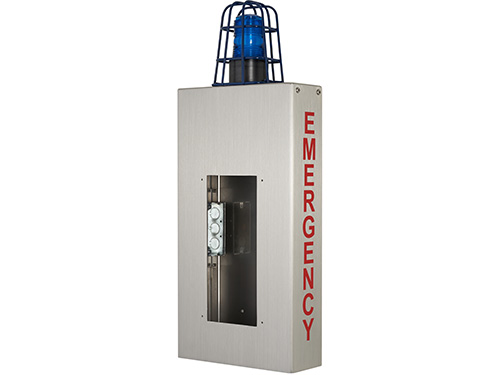
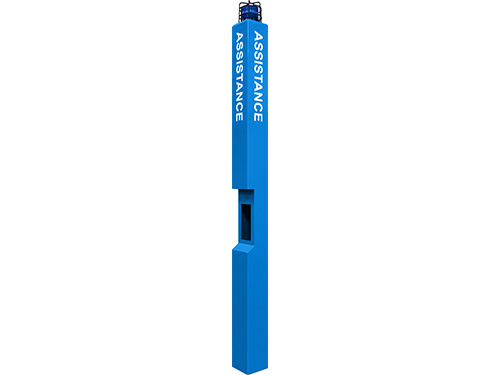
Emergency communication systems provide ways for people to get in touch with emergency services, security, or even 911 in case all else fails. Within the intercom world, they’re typically wall mounted boxes or blue light towers and serve as beacons of safety.

What is an Area of Refuge?
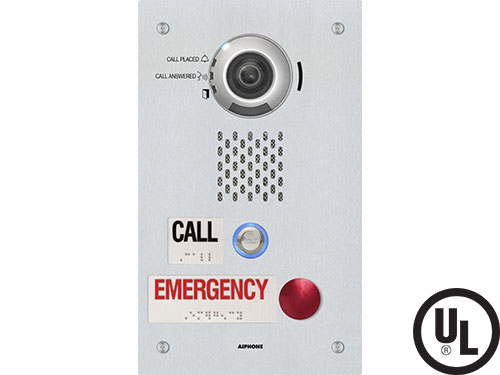
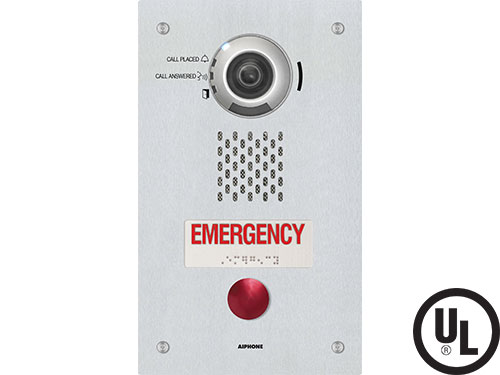
In the event of an emergency, an area of refuge serves as a reinforced sanctuary with a two-way emergency communication system. These spaces are used when individuals cannot evacuate, whether due to mobility limitations or blocked exit routes during a fire.
A two-way communication system features ADA-compliant call button height and Braille signage, allowing people to speak with personnel outside or emergency responders until safe evacuation is possible.

Components of an Intercom System
Every component of an intercom system does its own important job, working together to ensure your entrances are secure. When building a system, it’s important to consider how many of each you want, where they’re placed, and how they connect to each other.
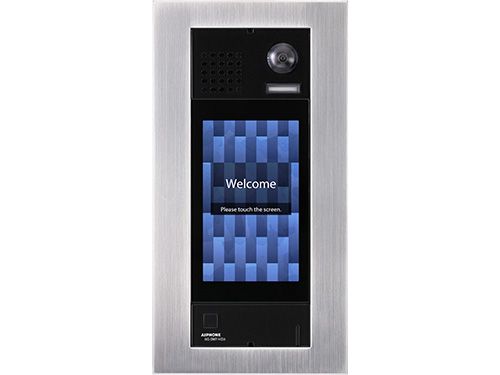
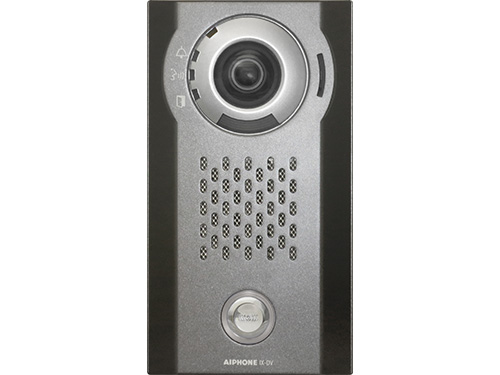
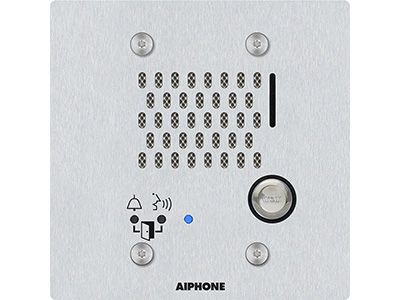
What is a Door Station?
A door station is part of an intercom system that is mounted where access is restricted, like an exterior entrance or door to a sensitive area. Analog door stations will typically connect directly to answering stations using wires, whereas IP door stations will connect over the network. They’ll typically have keypads or directories used to call answering stations.
Door stations can also have video cameras, which capture footage when the station is activated or all the time, depending on the user’s preference. Some also come equipped with keycard or fob readers, allowing for streamlined access into the building.
What is an Answering Station?
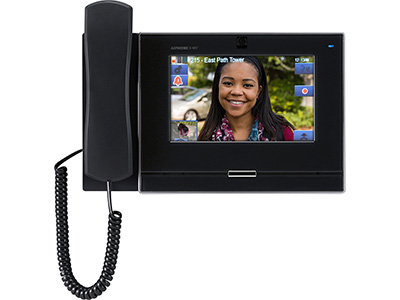
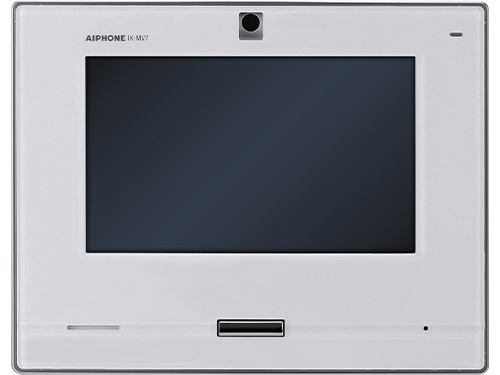
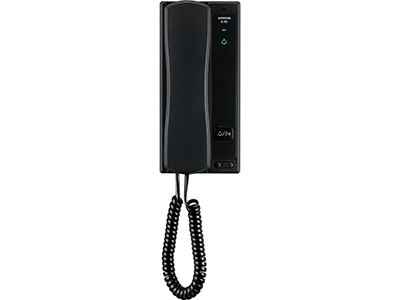
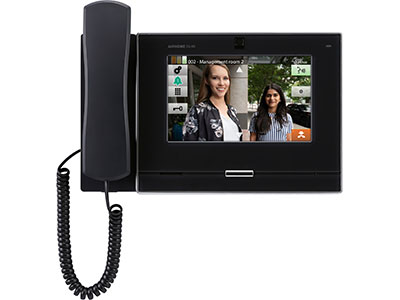
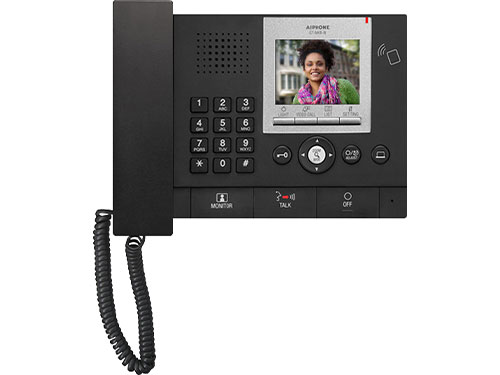
Answering stations receive calls placed from door stations and allow the user to decide if they want to grant entry. These can be wall mounted or placed on a desk for easy access. If the door station has video and the answering station has a screen, the live video feed will be displayed.
They can do more than just receive calls from door stations. Answering stations can be used to call one another for direct internal communication, or page entire systems for mass internal communication. This is helpful in settings like schools, where answering stations are placed in classrooms for continuous connection.
What is a Tenant Station?
Tenant stations are very similar to answering stations, but they’re more commonly used in apartment buildings. They’re placed within apartment units and allow residents to grant access or monitor deliveries from a fixed point. However, tenants can also use mobile apps, which let them grant access to visitors and delivery drivers from anywhere.

What is a Guard or Concierge Station?
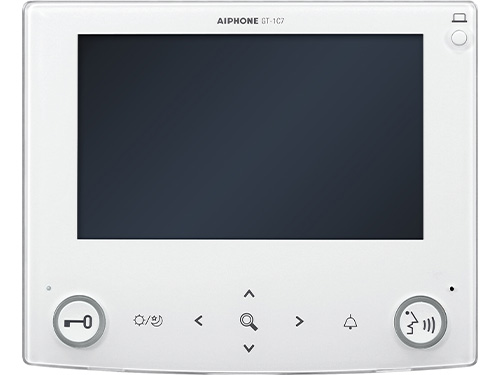
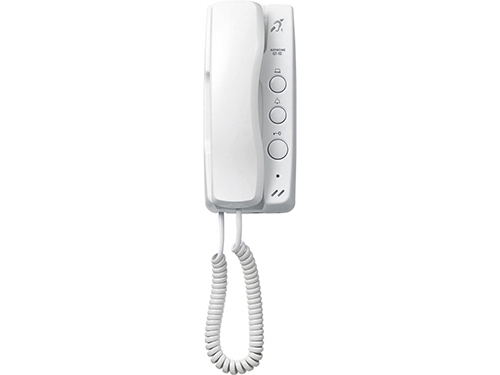
Guard/Concierge stations are more common in urban, multi-use buildings. They’re commonly placed in reception areas and allow a designated person working at the desk to choose to grant access or forward calls to the person or residential unit they’re meant for. They function very similarly to tenant and answering stations but add an extra layer of security.
Different Types of Intercom Systems
There are many different types of intercom systems, and many different kinds of overlap. For example, you could have analog systems with video, or IP systems with audio only.
Analog vs. IP Intercoms
The main difference is that analog intercom systems are self-contained and require physical wiring between units, whereas IP intercom systems connect using the network. For over 75 years, Aiphone’s analog intercom systems have been relied on across the globe, setting the industry standard for quality. They offer dependable connection with audio and video communication, as well as cost-effective installation and expansion using existing infrastructure.
Aiphone’s IP intercoms have more features like remote management, customizable digital interfaces, and integration with our partners. For example, an IP intercom system can be integrated with a VMS and access control for comprehensive monitoring and visitor management in sensitive areas like hospitals or schools.
Analog and IP intercom systems both have their upsides, and when choosing which one is right for you, it’s important to consider factors like installation, features, and user base.
Audio vs. Video Intercoms
Much like analog and IP intercoms, choosing between an audio or video intercom depends primarily on your needs. Audio-only intercoms provide more simplicity and can be more cost effective, whereas video intercoms provide more security by enabling users to visually verify identity.
It’s also possible to blend video and audio-only stations in an intercom system, reducing costs. For example, a multi-tenant building could have video door stations at commercial entrances and the main residential entrance for deliveries and surveillance, a video guard station at the concierge desk, video answering stations in business, and audio-only answering stations in apartment units.
Choosing the Right Intercom System for You
At the end of the day, your intercom system is the first line of defense: it tells you who’s requesting access, allows you to communicate with them, and lets you decide whether to grant them entry. Choosing the right intercom system for you should take many factors into account: price, installation, users, integrations, system size, and features necessary for you.

Complete Buyer’s Guide to Aiphone Intercom Systems
For more information on specific models, read our comprehensive guide to learn more about our most popular product lines, along with their best uses.
Read now
Why Choose Aiphone?
The Global Leader
Aiphone has over 75 years of innovation experience worldwide; and 50 years of trusted security communication leadership in North America.
Highest Quality Standards
Aiphone products are engineered and built to the highest quality standards, vandal resistant, and able to withstand extreme weather.
Built for Every Industry
Trusted by over 200K organizations across many sectors, including commercial, multi-tenant, residential, and education.
Dependable Support
Our in-house customer support and technical teams are here to assist, as well as local Aiphone experts in every region to support your project needs.
No Vendor Lock-In
Aiphone integrates with leading security technologies, enabling you to tailor your project to your unique needs without proprietary lock in.